
How Can We Help?
Reset a User’s Workspace Email Password
As the Workspace Email admin, you can reset user passwords in the Workspace Control Center (including your own).
- Sign in to your Workspace Control Center. Use your inCloud Server Hosting username and password (your Workspace Email address and password won’t work here).
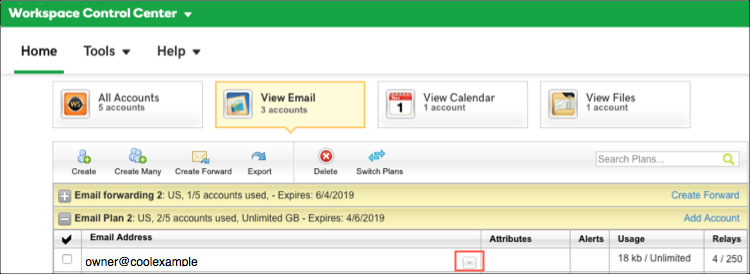
- Select the expand button in the row of the email address you want to change.
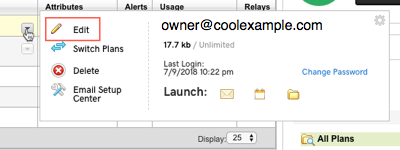
- Select Edit to open the Edit Account options.
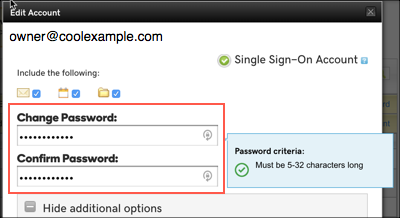
- Enter the new password in Change Password and Confirm Password.
- Select Save. You might need to close the Edit Account page. You should see confirmation that the password updated. Note: It can take up to 30 minutes for your new password to that effect. After 30 minutes, have the user try signing in to their email.