
How Can We Help?
Add an Identity
After you add an identity, you can use it to send email (using a different address) with your primary email account. For example, say your primary email account is [email protected], and you want to send email on behalf of the marketing team. Add an identity for the marketing team ([email protected]) and send email using that identity from your primary account.
- Log in to your Workspace Email account. (Need help logging in?)
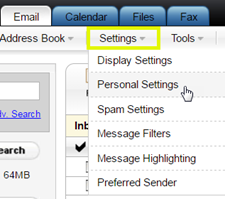
- In Classic View, on the Settings menu, click Personal Settings.
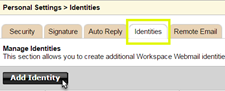
- Click the Identities tab, and then click Add Identity.
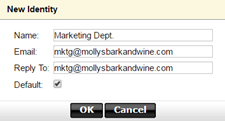
- Complete the following fields:FieldDo thisNameEnter a name to display to your email recipients.EmailEnter an email address to display to your email recipients.Reply ToEnter an email address you want your email recipients to send replies to.DefaultCheck the box to make this identity your default.
- Click OK.
You can edit or delete an identity in the Actions column.