
How Can We Help?
Delete a Preset Profile
Deleting a preset profile removes it from your account without deleting any domain names. Domains assigned to the profile keep the profile settings until you change them.
- Log in to your inCloud Server Hosting Domain Control Center. (Need help logging in? Find your username or password.)
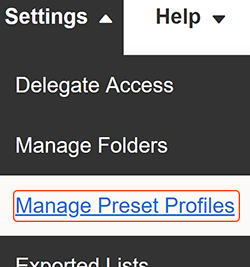
- From the Settings menu, select Manage Preset Profiles.
- Locate the profile you’re deleting and select the trash can icon to the right.
- Select Yes, Delete to confirm you want to delete the profile.
You’ll see a Success! confirmation to let you know the profile was deleted.
Related step
- You can review the domains currently assigned to a preset profile.
More info
- Organize your domains even further with Folders.